
7 Best POS Systems for Retail Hardware and Software Ranked
Picture a Saturday afternoon in mid-December. You have a line of twelve impatient shoppers holding winter coats, gift sets, and fragile ceramics. Suddenly, your barcode scanner disconnects from your tablet, the receipt printer jams, and your payment terminal freezes while trying to read a tapped credit card. Everyone in line starts shifting their weight and glancing at the door. If you have ever worked behind a retail counter, you know that cold sweat all too well.
In the modern business landscape, choosing a point of sale system is not an abstract software decision made in a quiet office. It is a physical, daily commitment to the tools your staff will touch hundreds of times an hour. From a strategic management perspective, upgrading your front-of-house technology is a capital expenditure that directly impacts your operational efficiency and inventory turnover rates. Retail owners must balance the upfront costs of commercial-grade equipment against the long-term gains of faster checkouts and fewer stockouts.
The industry has evolved significantly over the past decade. Today, modern point of sale systems replacing clunkier computer towers allow associates to meet customers exactly where they are on the floor. When retail operators compare packages, they are looking at two halves of the same coin. You need software that tracks thousands of stock keeping units across sizes and colors without losing count, and you need physical hardware that can survive coffee spills, accidental drops, and eight-hour rushes without dropping a wireless signal.
How We Evaluated Retail Hardware and Software Platforms
To rank these systems fairly, we skipped the glossy marketing brochures and looked at the friction points that actually frustrate store managers and hurt profit margins. Every system on this list was evaluated across four practical pillars designed to maximize return on investment.
Hardware Durability and Ergonomics Cheap plastic stands wobble when cashiers tap the screen, and consumer-grade tablets overheat when left plugged in for fourteen hours a day. We favored systems with commercial-grade aluminum enclosures, weighted bases, responsive customer-facing displays, and physical cable management that hides messy wires from the counter.
Inventory Matrix Depth Retail is rarely as simple as selling a single item. If you sell apparel in five sizes and four colors, or if you buy candles by the case of twenty-four and sell them individually, your software needs a true matrix inventory engine. Accurate tracking prevents dead stock and improves your cash conversion cycle.
Omnichannel Sync Speed If a customer buys your last pair of leather boots on your website at 2 00 PM, your floor staff should not be able to ring up that same pair in the store at 2 05 PM unless it is sitting in their hands. A robust omnichannel selling strategy requires real-time cloud syncing to prevent awkward refund conversations and protect brand equity.
Pricing Transparency and ValueUnderstanding POS system cost and subscription fees is crucial for protecting your margins. We analyzed both the monthly software leasing costs and the long-term impact of credit card processing rates to ensure each recommended platform provides genuine financial value.
Top 7 Cloud-Based POS Systems for Retail
1. Square for Retail — Best All-in-One Hardware Simplicity If you walk into an independent bookstore, a local plant shop, or a neighborhood clothing boutique, there is a massive chance you will see a sleek white or black Square terminal sitting on the counter. Square earned its dominance by removing every ounce of friction from the setup process. You can unbox a terminal at 9 00 AM, plug it into the wall, scan a few barcodes, and take your first credit card payment by 9 30 AM without ever calling an IT technician.
The Hardware Experience Square builds its own proprietary hardware rather than relying on patchy third-party tablet enclosures, and the engineering shows. The flagship Square Register is a dual-screen powerhouse constructed from anodized aluminum. One large touchscreen faces the cashier, while a smaller, angled display faces the customer to show line-item prices, loyalty points, and tap-to-pay prompts. Because both screens are built into a single chassis with a dedicated operating system, you never have to worry about a tablet software update breaking your Bluetooth connection to the card reader.
The Software Experience While regular Square point of sale is built for food trucks and coffee carts, Square for Retail adds a specialized layer of inventory tools designed for merchandise. The software automatically generates scannable barcode labels, tracks stock across multiple locations, and calculates your profit margins and cost of goods sold in real time. If you upgrade to the Plus plan, you unlock automated purchase orders, vendor management, and easy cross-location stock transfers. Cross-channel returns are also effortless—a cashier can scan a paper receipt or look up a credit card to process an exchange in under ten seconds.
Pricing and Processing Square offers a genuinely useful Free tier where you only pay processing fees of 2.6 percent plus 10 cents per in-person transaction. The Plus tier drops your processing rate to 2.5 percent plus 10 cents, which easily pays for the monthly software fee once your store processes higher card volumes.
Pros and Cons Pros Unmatched industrial hardware design, zero monthly software cost to start, transparent flat-rate payment processing, and instant setup. Cons Square Payments is mandatory, meaning you cannot bring your own merchant account for lower interchange rates, and advanced warehouse reporting can feel limited once you pass ten store locations.
2. Shopify POS — Best for Seamless Online-to-Offline Integration Years ago, Shopify POS felt like an afterthought bolted onto an e-commerce website builder. Today, it is arguably the most unified omnichannel retail platform on the market. If your business generates a significant portion of its revenue through an online store, running a separate in-store checkout system is a recipe for inventory nightmares. Shopify eliminates the bridge between online and offline by running both channels from the exact same database.
The Hardware Experience Shopify has invested heavily in custom hardware over the last few years. Their standout piece is the Shopify POS Terminal, a dedicated countertop device that pairs with a tablet or computer and serves as a high-definition customer display and payment reader for tap, chip, and swipe transactions. For boutiques that dislike bulky checkout desks, the POS Go allows sales associates to walk the floor, check stock levels in the back room, and check out customers right next to the dressing rooms.
The Software Experience The magic of Shopify lies in its Smart Grid interface and unified customer profiles. When a shopper walks up to the register and gives their name or email, your cashier immediately sees every item that customer has ever bought—whether they ordered it from their couch at midnight six months ago or picked it up in your store last week. This unified backend makes complex fulfillment options remarkably simple. With the Pro tier, you can offer buy-online-pickup-in-store, buy-in-store-ship-to-customer, and local delivery without installing clunky third-party sync apps.
Pricing and Processing To use the full retail suite, you need a core Shopify e-commerce plan plus an additional fee per physical location for POS Pro. In-person credit card rates through Shopify Payments range from 2.6 percent down to 2.4 percent depending on your core plan level.
Pros and Cons Pros Flawless real-time syncing between website and physical stores, built-in endless aisle shipping, rich unified customer purchase histories, and deep app store customization. Cons Gets expensive quickly if you have multiple physical stores and have zero interest in selling online.
3. Lightspeed Retail — Best for Complex Multi-Location Inventory When a specialty retailer outgrows entry-level systems, they almost always migrate to Lightspeed Retail. Built specifically for serious brick-and-mortar merchants—like bike shops, apparel boutiques, jewelry stores, sporting goods outfitters, and pet supply stores—Lightspeed treats inventory management as an exact science rather than a basic spreadsheet.
The Hardware Experience Lightspeed primarily runs on tablets and desktop computers, offering ruggedized hardware kits tailored for high-traffic counters. Their flagship hardware kits include a sleek proprietary stand, a hardwired receipt printer which is far more reliable than wireless printers during busy shifts, a heavy-duty cash drawer, and a wireless barcode scanner. Because Lightspeed also works seamlessly on desktop Mac and PC setups with USB peripherals, stores with massive back-office receiving stations can use full keyboards and wide monitors to check in hundreds of boxes of freight at once.
The Software Experience Lightspeed shines with its pre-loaded vendor catalog system and advanced matrix inventory engine. If you run a bicycle shop or a running shoe store, you do not have to manually type in thousands of product names, SKUs, and wholesale costs. Lightspeed integrates directly with major wholesale supplier catalogs, allowing you to browse vendor items, generate a purchase order inside the dashboard, and automatically populate product descriptions and photos into your inventory when the shipment arrives. It also handles serialized inventory, work orders, and bundled product kitting.
Pricing and Processing Plans scale based on features, starting with a Lean package and moving up to Advanced tiers that unlock loyalty programs and deep analytics. Lightspeed Payments charges a competitive flat rate for in-person card swipes, streamlining your accounting processes.
Pros and Cons Pros Industry-leading purchase order and vendor catalog workflows, native repair and work-order tracking, serialized inventory support, and deep analytical reporting. Cons Steeper learning curve for new staff compared to simpler platforms, and contract terms can be strict if you try to downgrade mid-term.
4. Clover Retail — Best for Sleek Countertop Hardware and Custom Processing Walk into a high-end cosmetics shop or a bustling gourmet market, and you will likely spot Clover equipment on the counter. Owned by Fiserv, one of the largest financial technology companies on earth, Clover takes a hardware-first approach that gives retail owners tremendous flexibility in how they configure their physical checkout counters and merchant banking relationships.
The Hardware Experience Clover hardware is arguably the most versatile in the retail industry. For full-service checkout lanes, the Station Duo pairs a large high-definition cashier screen with a separate customer-facing terminal that handles PIN entry, contactless taps, and digital receipts. It includes a high-speed thermal printer and a matching metal cash drawer right in the box. If counter space is tight, the Clover Mini packs a vibrant touchscreen, a built-in receipt printer, a barcode camera scanner, and credit card readers into a footprint smaller than a shoebox.
The Software Experience Clover runs on a customized Android operating system supported by the Clover App Market. Out of the box, the retail software plan handles item variants, stock tracking, low-stock alerts, and simple customer loyalty programs. It also includes built-in employee shift scheduling and permissions, so you can restrict cashiers from issuing unapproved refunds. While its native inventory tools are lighter than some competitors, the App Market lets you plug in heavy-duty integrations like QuickBooks, Xero, and specialized age-verification apps.
Pricing and Processing Software plans range from basic register functions up to full growth packages. When buying directly, processing rates are standard flat fees. However, because Clover is distributed by hundreds of independent merchant service providers and banks, high-volume retailers can negotiate custom interchange-plus rates that save thousands of dollars a year in swipe fees.
Pros and Cons Pros Gorgeous modular hardware with built-in printers, ability to shop around for lower credit card processing rates, and a fast Android interface. Cons Hardware is permanently locked to the merchant processor you buy it from, meaning you cannot reprogram a terminal if you switch banks later.
5. Korona POS — Best for High-Volume and High-Risk Specialty Retail Not every retail store fits the neat mold of a clothing boutique or gift shop. Liquor stores, vape and tobacco shops, convenience stores, thrift stores, museums, and high-volume discount outlets deal with razor-thin margins, strict age-verification laws, and thousands of daily cash transactions. Korona is engineered specifically for these demanding environments.
The Hardware Experience Unlike systems that force you to buy expensive proprietary tablets, Korona is completely hardware-agnostic. It runs lightly on Linux, Windows, or cloud-based web browsers, meaning you can install it on rock-solid commercial PC touchscreen terminals that are built to endure millions of rough taps in a busy convenience or liquor store. It pairs effortlessly with high-speed bi-optic flatbed scanners, integrated deli scales, ID scanners for automatic age verification, and heavy-duty cash dispensers.
The Software Experience Korona is a back-office workhorse. Its inventory system does not just track units; it uses automated reorder triggers based on historical sales velocity, manages complex case-break conversions such as buying beer by the pallet and selling by the single can, and runs ABC inventory analysis to show you exactly which shelf items are dead weight. For liquor and smoke shops, it blocks sales automatically until an associate scans a valid government ID showing the customer is of legal age.
Pricing and Processing Korona offers predictable flat monthly pricing per terminal with no long-term contracts and unlimited free onboarding support. Best of all, Korona is completely processor-agnostic. It never charges hidden markup fees to use your own merchant account, making it a favorite for stores that want rock-bottom wholesale processing rates.
Pros and Cons Pros Complete freedom to choose any payment processor, unmatched speed for high-turnover scanning, built-in ID age verification, and automated ABC inventory grading. Cons The user interface looks utilitarian rather than flashy, and it requires connecting a third-party platform if you want an online storefront.
6. Revel Systems — Best for Large Enterprises and Hybrid Retail Cafes Modern retail is increasingly blending with hospitality. Think of a specialty wine shop that also serves charcuterie boards at a tasting bar, or a massive museum gift store with an attached espresso cafe. Most checkout systems are either good at retail scanning or good at restaurant kitchen routing. Very few can do both at an enterprise level. Revel bridges that gap effortlessly.
The Hardware Experience Revel uses a tablet-based architecture, but calling it a simple tablet application does not do it justice. Revel deploys a hybrid cloud local network. In a standard cloud setup, if a construction crew down the street accidentally cuts your fiber internet cable, your registers can become bricks. Revel installs an enterprise-grade local router and server infrastructure inside your store so that all screens, barcode scanners, and receipt printers continue communicating at lightning speed offline, syncing back to the cloud the second your internet returns.
The Software Experience Revel is built for scale and complexity. From a single backend dashboard, a corporate operations director can push price changes, seasonal promotions, and employee tax rules across fifty storefronts simultaneously. Its inventory engine tracks both finished retail goods like bottled olive oil and raw ingredient recipes like the flour and espresso beans used at the cafe counter. It also features open API architecture, making it easy for enterprise IT teams to connect custom enterprise resource planning systems.
Pricing and Processing Software requires a monthly fee per terminal, typically requiring a minimum of two terminals and an annual contract, plus a one-time onboarding and network installation fee that is custom-quoted based on your store footprint. Processing rates are negotiated individually.
Pros and Cons Pros Rock-solid offline mode via local hybrid networking, handles both retail inventory and food-service modifiers in one transaction, and enterprise-grade multi-unit management. Cons High upfront implementation costs and multi-year contract requirements make it overkill for a single-location small business.
7. Vend by Lightspeed — Best for Customer Loyalty and Fast Cashier Workflows Originally founded as Vend before being acquired and evolved into Lightspeed X-Series, this platform earned a devoted global following among design-forward fashion boutiques, homeware stores, and footwear chains. It focuses on lightning-fast register workflows, AI-assisted inventory forecasting, and keeping shoppers coming back through built-in customer loyalty.
The Hardware Experience One of the biggest reasons store owners love this platform is its total hardware flexibility. Because the register runs smoothly inside a modern web browser with full offline caching as well as a dedicated tablet app, you can run your checkout on a desktop computer, a rugged PC terminal, or a sleek tablet stand. If you are migrating from an older system, you can almost always reuse your existing USB barcode scanners, receipt printers, and cash drawers, saving thousands of dollars in upfront hardware replacements.
The Software Experience The cashier screen is designed around speed and customization. Managers can create visual quick-key layouts with color-coded tiles for items without barcodes, while barcode scanning responds instantaneously even with massive catalogs. On the back end, the software shines in customer relationship management and inventory intelligence. You can enroll shoppers into a tiered VIP loyalty program right at the register without paying for an external marketing app. Meanwhile, its reporting suite analyzes seasonal sales trends to tell you exactly how many units of a product to reorder.
Pricing and Processing Plans scale based on your feature tier and billing cycle. Like its sibling platform, it utilizes native payment processing for standard card-present transactions, though legacy integrations allow for regional processor flexibility in certain markets.
Pros and Cons Pros Hardware-agnostic browser setup lets you reuse existing equipment, super intuitive cashier screen that takes five minutes to learn, and native built-in loyalty tools. Cons Multi-register fees can add up if you have several seasonal pop-up registers that only get used a few months a year.
Essential Hardware Components Every Retail Store Needs
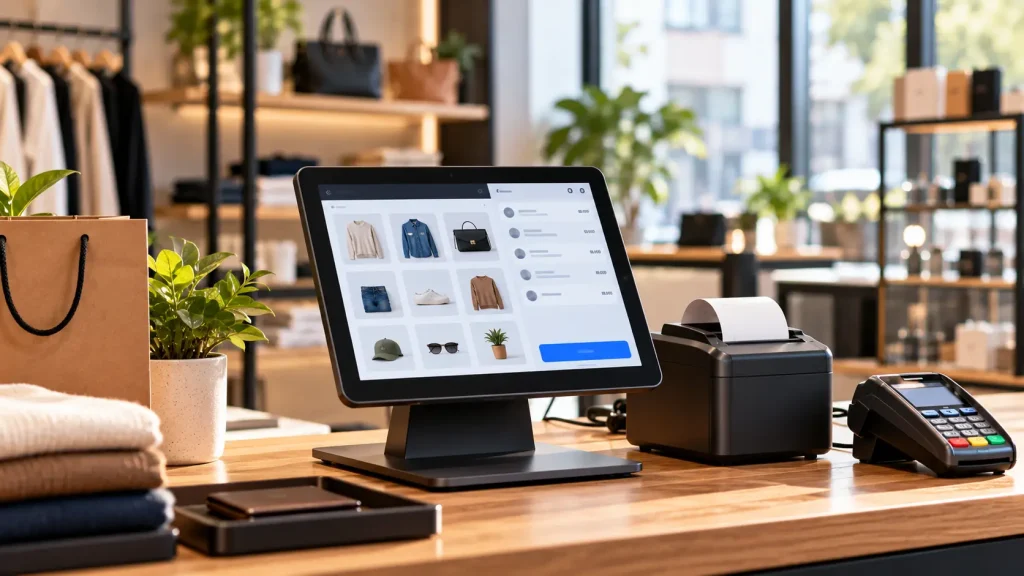
When you look at pricing pages for software, it is easy to forget that the physical equipment on your counter often represents your biggest upfront investment. Staying informed on the latest retail tech breakthroughs and checkout trends is essential before signing any software agreement. Make sure your budget accounts for these five core pieces of kit.
- The Main Terminal or Tablet Stand Whether you choose a purpose-built unit or a tablet locked into a heavy steel enclosure, make sure the screen sits at an ergonomic angle to reduce wrist strain and glare from overhead store lights.
- A 2D Barcode Scanner Never buy an older 1D laser scanner for a modern store. A 2D imager scanner can read standard printed product barcodes, QR codes, and digital gift cards displayed on a customer smartphone screen.
- An EMV and NFC Payment Reader Customers expect to pay with digital wallets and tap-enabled credit cards in under two seconds. Always opt for a dedicated customer-facing payment puck so shoppers never have to hand their card over the counter.
- A Thermal Receipt Printer Impact printers that use ink ribbons belong in a hot kitchen environment. Choose a direct thermal printer with an auto-cutter that connects via a hardwired local network rather than wireless to prevent pairing dropouts.
- A Heavy-Duty Cash Drawer Look for a steel-constructed drawer with heavy-duty ball-bearing rollers and a cable that plugs directly into the back of your receipt printer. This allows the printer to trigger the drawer to pop open automatically the millisecond a cash sale is finalized.
Strategic Verdict Aligning Technology with Retail Growth
Picking the right retail point of sale system comes down to being honest about how your store operates today and where your management team wants it to be three years from now. You do not need to overpay for an enterprise software suite if you run a cozy weekend vintage shop, nor should you try to force a multi-warehouse sporting goods empire onto a basic free application.
Evaluate your core operational needs. Choose Square if you want gorgeous out-of-the-box hardware that you can set up yourself this afternoon with zero monthly software commitment. Select Shopify if your online store and your physical shop are equally vital to your revenue and you need one unified database running both channels. Opt for Lightspeed if you manage thousands of complex SKUs and deal with dozens of wholesale vendors. Finally, choose Clover or Korona if you have high transaction volumes and want the financial freedom to negotiate custom low-rate credit card processing with your own merchant bank.
By treating your point of sale as a strategic growth asset rather than just a way to ring up sales, you empower your staff to deliver exceptional customer experiences while capturing the data you need to scale profitably.
Frequently Asked Questions
What is the best POS system for small retail businesses?
Square for Retail is widely considered the best point of sale system for small retail businesses because it offers free basic software, affordable hardware bundles, and transparent flat-rate payment processing that makes initial setup incredibly fast and cost-effective.
How much does a retail POS system cost?
A complete retail point of sale system requires an initial hardware investment between $600 and $1,500. Monthly cloud software subscriptions typically range from $0 to over $100 per location. Credit card processing fees average around 2.5 percent plus a 10-cent flat fee per transaction.
Do retail POS systems work offline during an internet outage?
Yes, many top-tier retail point of sale systems offer robust offline modes. Platforms like Square, Clover, and Revel allow physical stores to continue scanning items and accepting encrypted credit card payments during internet outages, automatically syncing the transaction data once the connection is restored.
What is the difference between a POS and a cash register?
A traditional cash register only calculates transaction totals and stores cash. A modern retail point of sale system integrates hardware and software to process payments, track real-time inventory, manage employee timesheets, and capture customer data for loyalty programs and marketing.
