
Building Your Own Chatbot: A Step-by-Step Guide
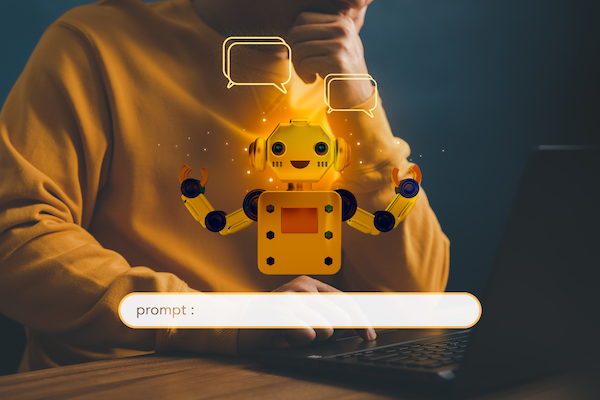
If you’re not a tech pro, don’t worry; we’ll discuss a step-by-step guide to building your own chatbot.
For good reason, chatbots have gained widespread attention. All thanks to machine learning and artificial intelligence. They pop up everywhere, from web pages to chat apps to calls to customer service; you’ve undoubtedly seen them before. It’s impossible to ignore the fact that chatbots are becoming increasingly popular and having a major impact in many fields, especially businesses.
If you’re not a tech pro, don’t worry; we’ll discuss a step-by-step guide to building your own chatbot. So, let’s tick off a few basics of chatbots.
Why Have Chatbots Become So Important for Businesses?
Chatbots are designed to help people by answering their queries, facilitating transactions, and streamlining other forms of communication. Instead of hiring individuals to do this task, you can let a chatbot handle it for you with ease.
You can find chatbots in various places, including messaging applications, websites, digital marketing agency and even smart speakers that respond to your voice. They are the bridge between technology and human interaction, making it easier for consumers to obtain information and services. Most budding businesses that sell via Instagram or WhatsApp are also integrating chatbots with their social media handles to handle customer queries and organize a proper sales funnel.
Types of Chatbots
Chatbots come in various flavors, each with its unique characteristics and capabilities. Here are the most common types:
- Rule-Based Chatbots
- AI-Powered Chatbots
- Virtual Assistants
- Social Media Chatbots
We will learn more about these in the later part of this article. For now, let’s learn about the brownie points we get from integrating these chatbots into our businesses or, simply put, our daily lives.
Benefits of Chatbots
Building your own chatbot has the following benefits:
- Customer service gets improved. Chatbots can be available 24/7. And most importantly, they respond within seconds.
- You can cut down costs. A human resource will cost you more than a chatbot. Chatbots are a one-time investment.
- Chatbots are highly efficient. They lead to smoother interactions, eventually enhancing customer experience.
5 Steps to Build Your Personal Chatbot With Zero Coding Skills
1. Planning Your Chatbot
Firstly, you need to Identify your Chatbot’s Purpose.
Before diving into the development of your chatbot, it’s crucial to define its purpose clearly. What do you want your chatbot to achieve? What functions will it perform?
- Start by outlining the particular objectives you want your chatbot to accomplish. Customer service, appointment scheduling, product suggestions, and purchase monitoring are just a few of the many possible uses.
- Think like your audience and try to empathise with their problems and desires. The success of your chatbot will depend on its ability to help users with their concerns. 1.
- Pan out the flow of user interactions with your chatbot. Create a user journey map to foresee possible user questions and answers. This assists in building a smooth and intuitive user experience.
Secondly, you need to Define your Target Audience.
- Learn about your users’ demographics, such as their age, gender, and geography.
- Learn about user habits online and how they interact. This will help you design an intuitive interface.
- Identify the difficulties encountered by your target market so that you may better serve them with your chatbot.
Lastly, you need to Choose the Best Platform
- If you’re technically skilled and want complete control over the development of your chatbot, open-source frameworks such as Botpress or Rasa are worth considering.
- Tools like Chatfuel, Tars, and MobileMonkey provide a user-friendly, no-code alternative to traditional software development environments.
- Also, think about the platform integration or where you will be deploying your chatbot. In contrast to the ease of use with messaging applications or voice assistants, other platforms are better suited for website integration.
2. Design and Development
Firstly, you need to Create a Conversation Flow
- It’s important to determine the various intentions or goals users may have when interacting with your chatbot.
- Possible user interactions should be drawn out for each intent.
- With decision trees, you can figure out how to direct your chatbot’s actions in response to user input.
- Ensure there are obvious exits so people can get out of a session. And give them an option to request human help as well.
Next, you need a User Interface (UI) Design
- Keep it simple and minimal. Remember, your customers are looking for an answer. Avoid clutter, unnecessary alternatives, or overly complex design features.
- Make sure the design is straightforward and uniform across the entire user experience. This
- Give instructions to users on how to communicate with the chatbot. Make sure users know what the chatbot is capable of.
- Make it obvious to users how they can engage with the chatbot through the use of visual cues such as buttons or icons. The visuals should not require more explanation.
- Make sure the chatbot’s user interface (UI) is adaptable to different screen sizes and resolutions.
Now, it’s time to Build Your Chatbot
- Go to the development platform you have chosen.
- Sign up to create a new account and fill in the necessary fields.
- Establish what actions you want your chatbot to take by defining intentions within the platform. For a pizza delivery service chatbot, some possible intents are “order pizza,” “menu inquiries,” and “delivery status.”
- Specify the possible dialogues and reactions for each goal. Here, you’ll outline how questions and answers will flow between you and your chatbot.
- Test and iterate your chatbot. Improve the functionality of your chatbot by troubleshooting, fixing, and refining its layout and responses.
3. Integrating Intelligence into Your Chatbot
- Choose an AI framework or platform. Microsoft’s Bot Framework, IBM’s Watson, and Google’s Dialogflow are just a few of the more well-known choices.
- Information about user intent and context will need to be fed into your chatbot. Train your chatbot here.
- NLU (natural language understanding) is used by AI chatbots so that they can grasp what people are asking.
- Your chatbot can recall what was discussed earlier and answer rationally.
- Your chatbot can learn from the behaviors of its users to better comprehend and answer questions. Your chatbot’s intelligence will increase as it is exposed to more information.
4. Testing and Refining Your Custom Chatbot
It is crucial to do extensive testing of your chatbot after its development and integration of AI and NLP. You may think of it as a form of quality control for your chatbot.
You will have to constantly test for functionality, user experience, error handling, and multiple language inputs, if applicable. Also, there will be cases of heavy loads on your chatbot when multiple users access your chatbot at the same time. So, you will need to optimize your chatbot for that, too.
Moreover, user feedback is invaluable for refining your chatbot and making it more user-centric. It’s like having a conversation with users to understand their needs and preferences. You might also conduct surveys and sessions to learn the areas of improvement.
5. Deployment and Maintenance
Your chatbot is now operational; the only things left to do are choose where and how to use it. The deployment procedure is similar to selecting the appropriate performance stage; it is all about ensuring that your chatbot efficiently reaches the intended audience.
You can deploy it on your website, mobile application, messaging platforms, voice assistants, social media, etc.
The journey doesn’t end with the deployment of your chatbot; it simply gets started. For your chatbot to remain effective and relevant, regular maintenance is required. It is comparable to routine check-ups to make sure everything is functioning properly. You can manage your chatbot’s upkeep with frequent updates and performance tracking.
Key Takeaways
With this step-by-step guide, building your own chatbot according to your needs and requirements has been made easier. Whether your goal is to improve customer service, optimize internal processes, or provide people with a more engaging experience, building your own chatbot can help you get there. Chatbots are always adapting to new situations and scenarios as technology advances.
